:format(webp))
:format(webp))
The Ultimate Guide to Securing Your WordPress Site in 2025
By the end of this article, you’ll understand the most common WordPress weaknesses, how attackers exploit them at scale, and practical steps—from simple hardening to advanced defenses—to keep your site safe.
Why WordPress Is Such a Big Target
WordPress powers over 40% of all websites, making it the most popular content management system on the web, according to W3Techs’ usage statistics for content management systems . That popularity comes at a cost: attackers can scan millions of sites for the same flaw in one sweep.
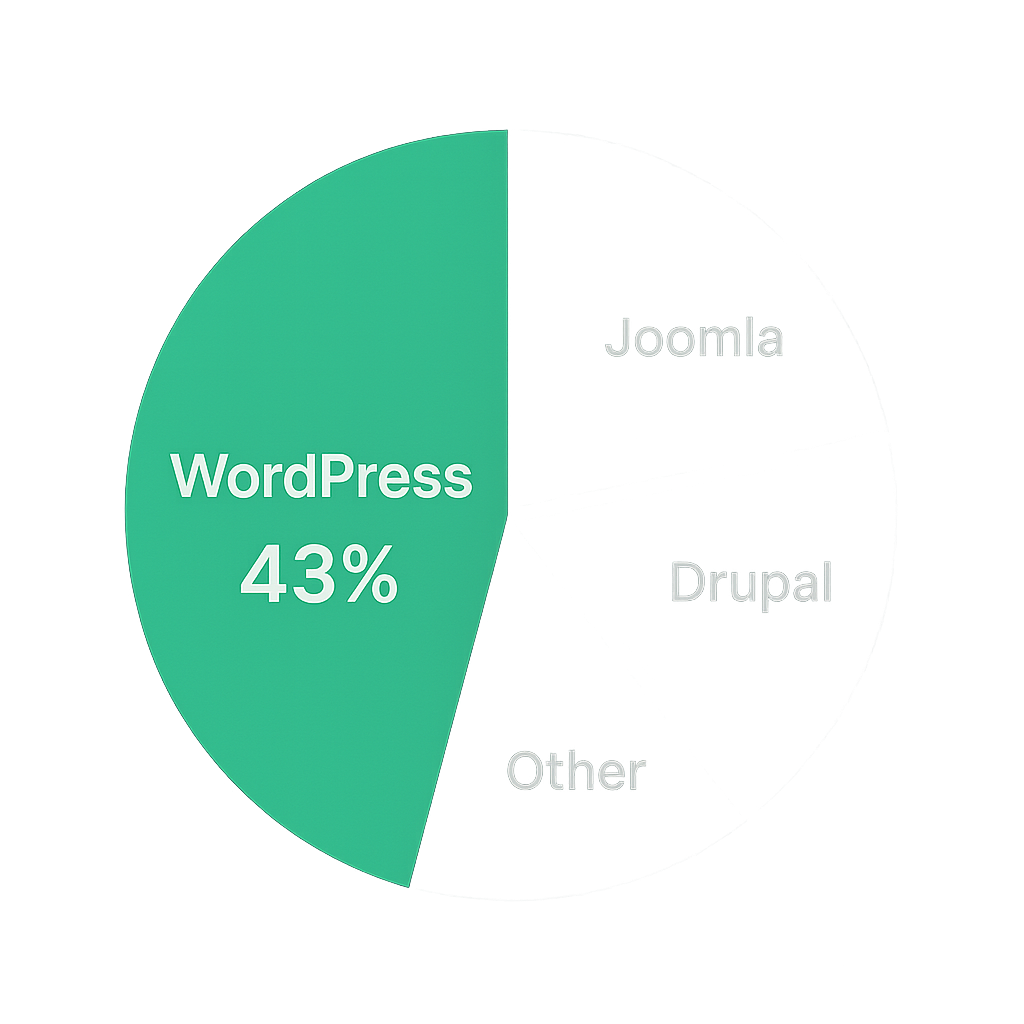
The 40% Phenomenon
WordPress holds roughly 43% of the CMS market share, as reported on Wikipedia’s CMS usage page. That concentration means a single vulnerability in core, a plugin, or a theme can affect millions of sites at once.
Insecure Defaults
Out of the box, new WordPress installs enable features that aren’t locked down. Directory listing is often left on by default on many servers ( Apache’s directory listing guide ), XML-RPC methods are enabled for backward compatibility ( WordPress XML-RPC API handbook ), and the default “admin” username remains active unless changed ( WordPress hardening recommendations ), giving attackers easy entry points.
An Unregulated Plugin and Theme Market
Anyone can publish a WordPress plugin or theme without formal code review. As a result, many packages are abandoned or left with known flaws for years. The WPScan Vulnerability Database lists over 31,000 WordPress vulnerabilities as of mid-2023.
Common WordPress Vulnerabilities
These are the issues you’ll see in nearly every security report:
Vulnerability | Description |
|---|---|
Outdated core, theme, or plugin software | Unpatched software may contain known exploits that attackers can leverage. |
Weak or reused passwords | Easy-to-guess passwords increase the risk of unauthorized access to accounts. |
Unrestricted file uploads | Attackers can upload malicious files (e.g., disguised PHP scripts) to gain server access. |
SQL injections and cross-site scripting (XSS) | Exploits weaknesses in input handling to modify database queries or inject malicious scripts. |
Brute force login attacks | Automated attempts to guess passwords can lead to account compromise. |
Database vulnerabilities | Default settings (e.g., the “wp_” prefix) make databases easier targets for automated attacks. |
Table styling instructions for designers:
Background: use brand's dark background.
Text color: #E3E4E7.
Header accent: #6DDA84 for header cells.
Outdated core, theme, or plugin software
Weak or reused passwords
Unrestricted file uploads (e.g., uploading PHP files disguised as images)
SQL injections and cross-site scripting (XSS)
Brute force login attacks
Database vulnerabilities (e.g., default “wp_” table prefix)
“Vulnerabilities in third-party plugins account for the majority of WordPress site compromises.” – Sucuri’s 2023 Website Threat Research Report
Basic Hardening Steps
Start by closing the obvious doors:
Keep everything updated
- Turn on automatic minor core updates.
- Manually update plugins and themes as soon as patches arrive.
Use strong, unique passwords
- Enforce password policies with tools like Wordfence’s Login Security from Wordfence.
Enable two-factor authentication (2FA)
Limit login attempts to prevent brute-force attacks.
Disable file editing in the dashboard by adding `define('DISALLOWFILEEDIT', true);` to `wp-config.php`.
Turn off directory indexing by adding `Options -Indexes` to your `.htaccess` file.
Change the database table prefix from `wp_` to something unique.
Remove unused plugins and themes, including default ones like Twenty Twenty-One.
Advanced Strategies
Once the basics are in place, layer on these defenses:
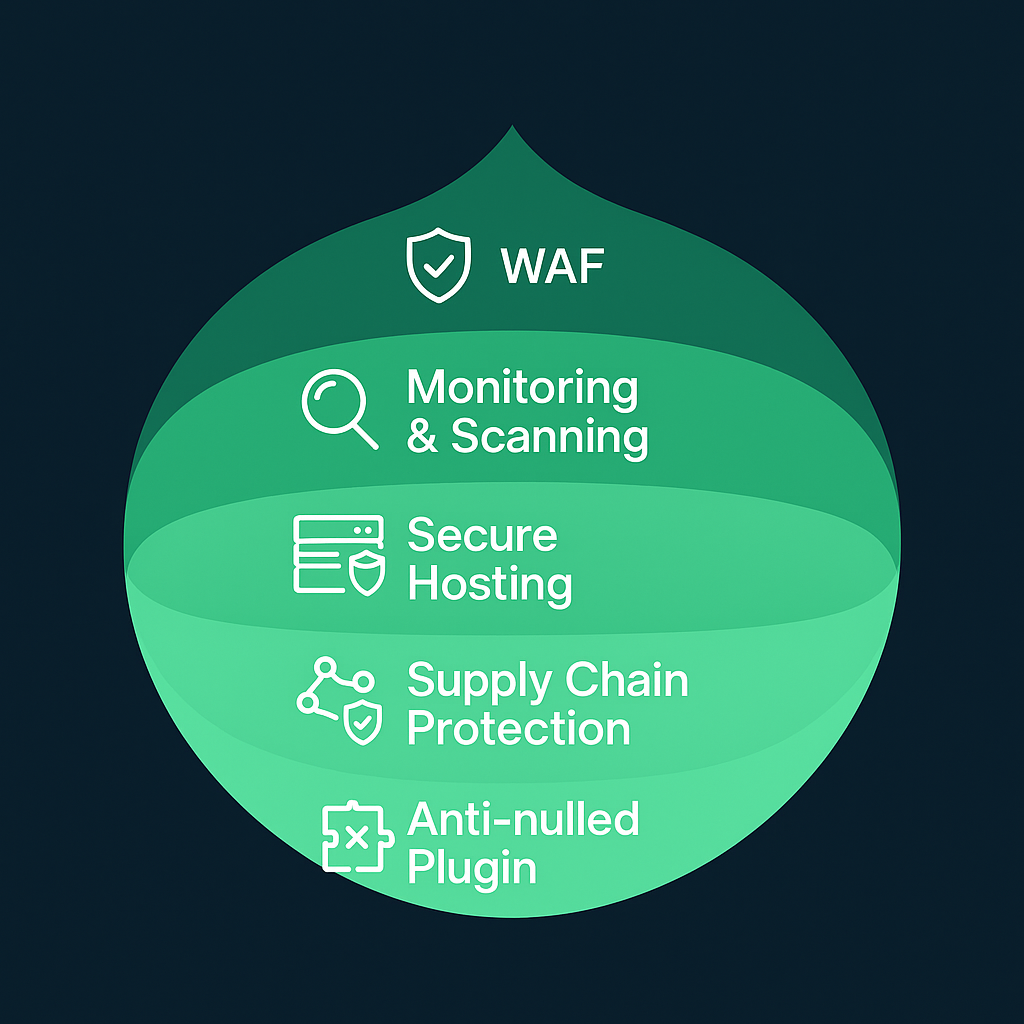
Deploy a Web Application Firewall (WAF)
Services like Cloudflare or Sucuri sit in front of your site and block malicious traffic before it reaches WordPress.
Regular Monitoring and Scanning
Schedule malware scans with services such as MalCare’s security scanner to detect and remove threats.
Use an uptime monitor like UptimeRobot to detect defacements or SEO spam quickly.
Secure Your Hosting Environment
Cheap shared hosting often lacks strong account isolation. According to Hostinger’s security tutorial on best practices for shared hosting , cross-site contamination can spread malware from one account to another. Consider a managed WordPress host that includes daily backups and isolated containers.
Watch for Supply Chain Attacks
Attackers have taken over legitimate developer accounts to push malicious updates to thousands of sites at once. The OWASP supply chain attacks overview explains how compromised APIs and package repositories can impact your site. Always download plugins and themes from official sources and verify developer reputations.
Avoid Nulled Plugins and Themes
Pirated (“nulled”) premium packages frequently come bundled with backdoors or hidden malware. WPEngine warns that nulled WordPress themes and plugins often contain malicious code and should be avoided at all costs.
Defend Against SEO Spam and Cryptojacking
Security provider Imperva reports that cryptojacking attacks surged in 2023, with threat actors injecting mining scripts into vulnerable sites to hijack server resources ( Imperva’s cryptojacking analysis ). Look for unusual outbound connections or spikes in CPU usage on your server.
Audit GDPR/Privacy-Related Plugins
A search of the MITRE CVE database for “WordPress GDPR” reveals over 65 reported vulnerabilities in GDPR and privacy plugins alone. If you use these tools to stay compliant, verify each update and remove any you no longer need.
Next Steps: Locking Down Your Digital Kingdom
Securing WordPress is an ongoing process. Start with updates and basic hardening, then layer in advanced defenses. Regularly review your plugins, monitor traffic patterns, and keep backups off-site. By combining these steps, you’ll drastically reduce your risk of compromise and sleep better knowing your site is protected.
:format(webp))
:format(webp))
:format(webp))